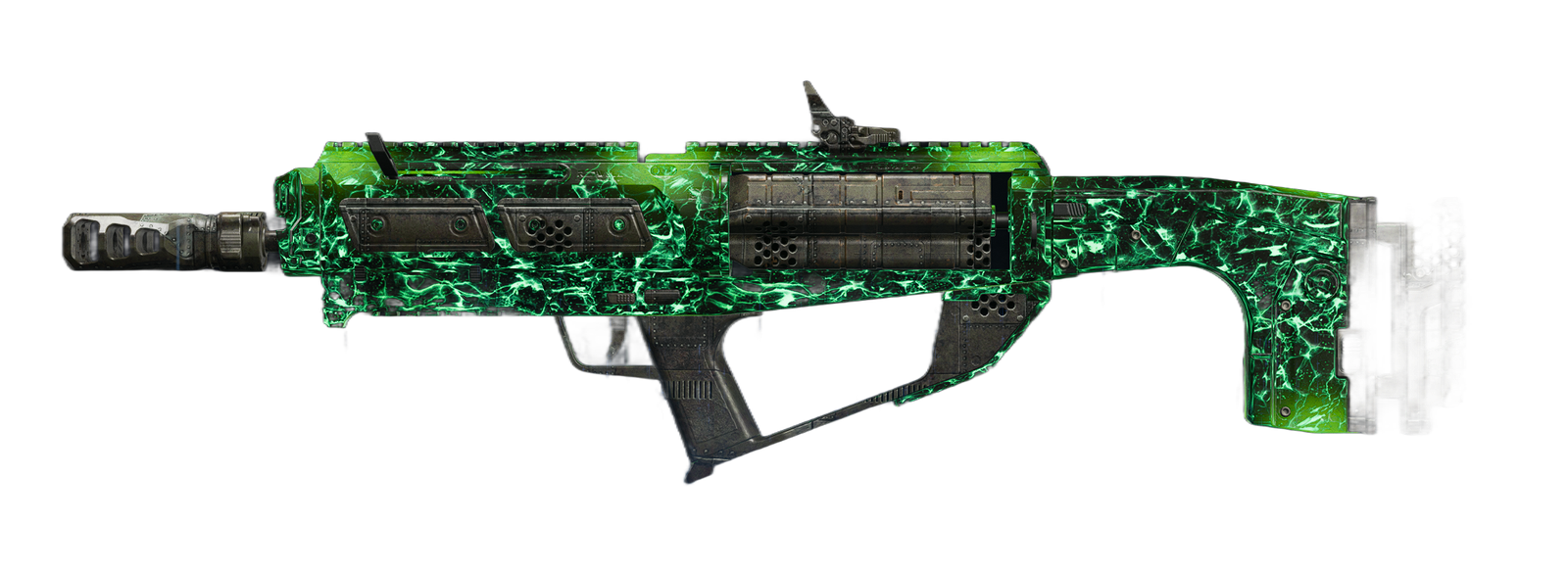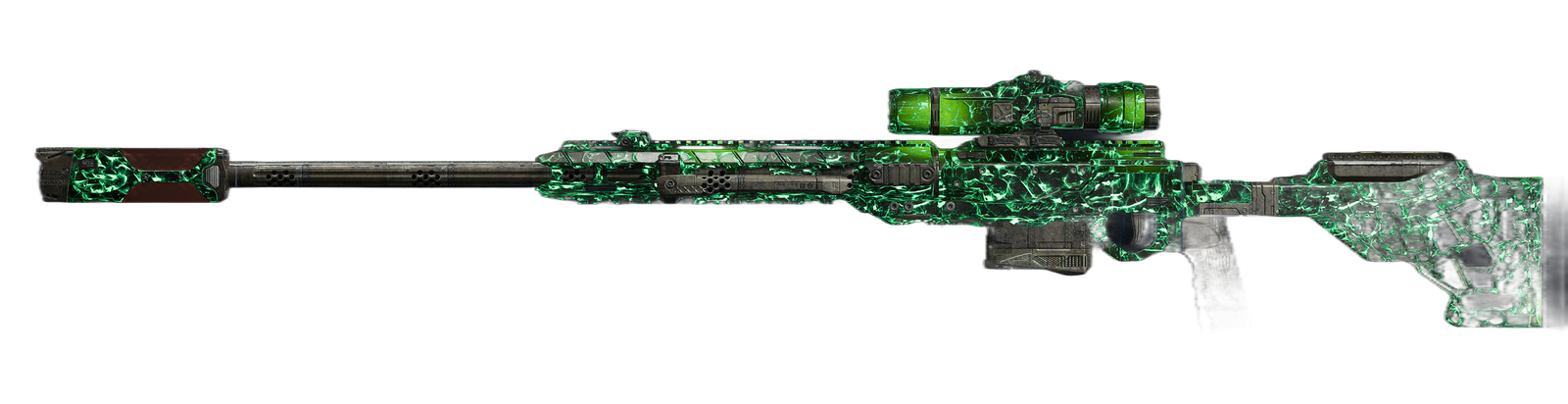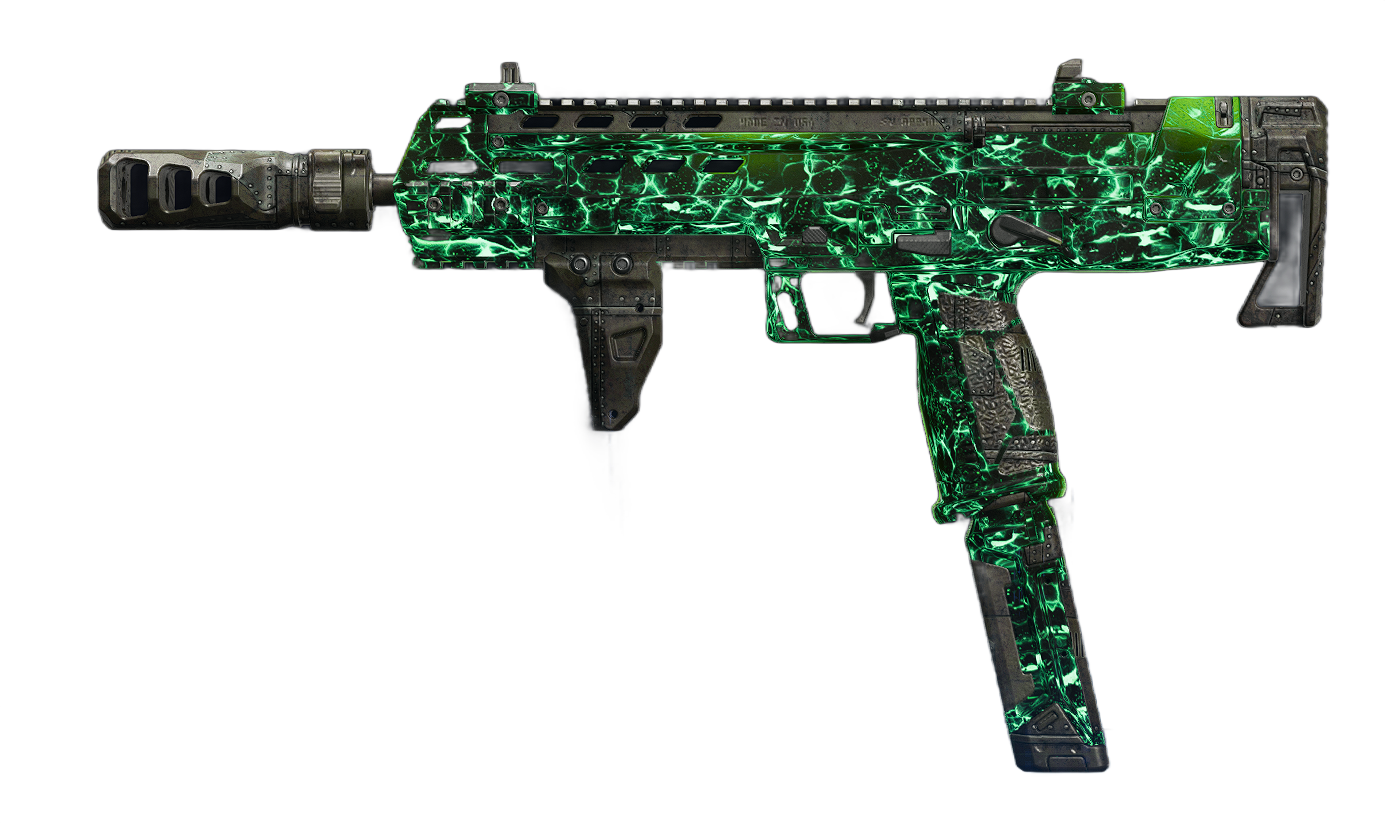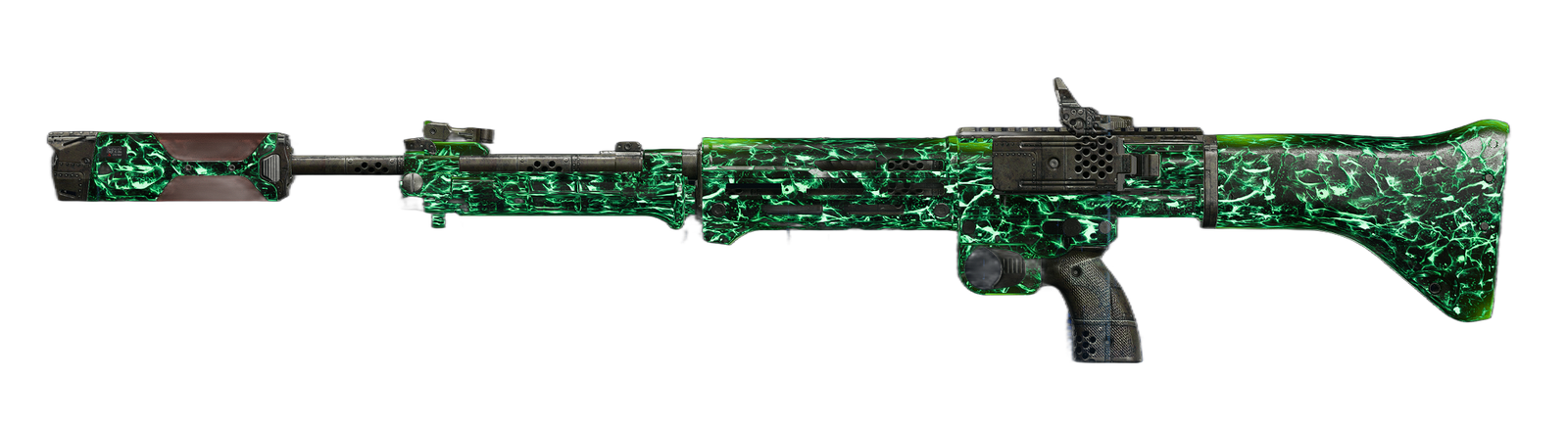



Warzone Black Ops 6 introduces many customization options for players to optimize their gameplay experience. With its intricate mechanics and fast-paced action, having the correct settings for graphics, audio, and controller configurations can make all the difference. This guide breaks down the best settings to enhance your performance and enjoyment.
Graphics Settings
Graphics settings play a critical role in achieving smooth gameplay and clear visuals. Here’s how to optimize your graphics for performance and visibility.
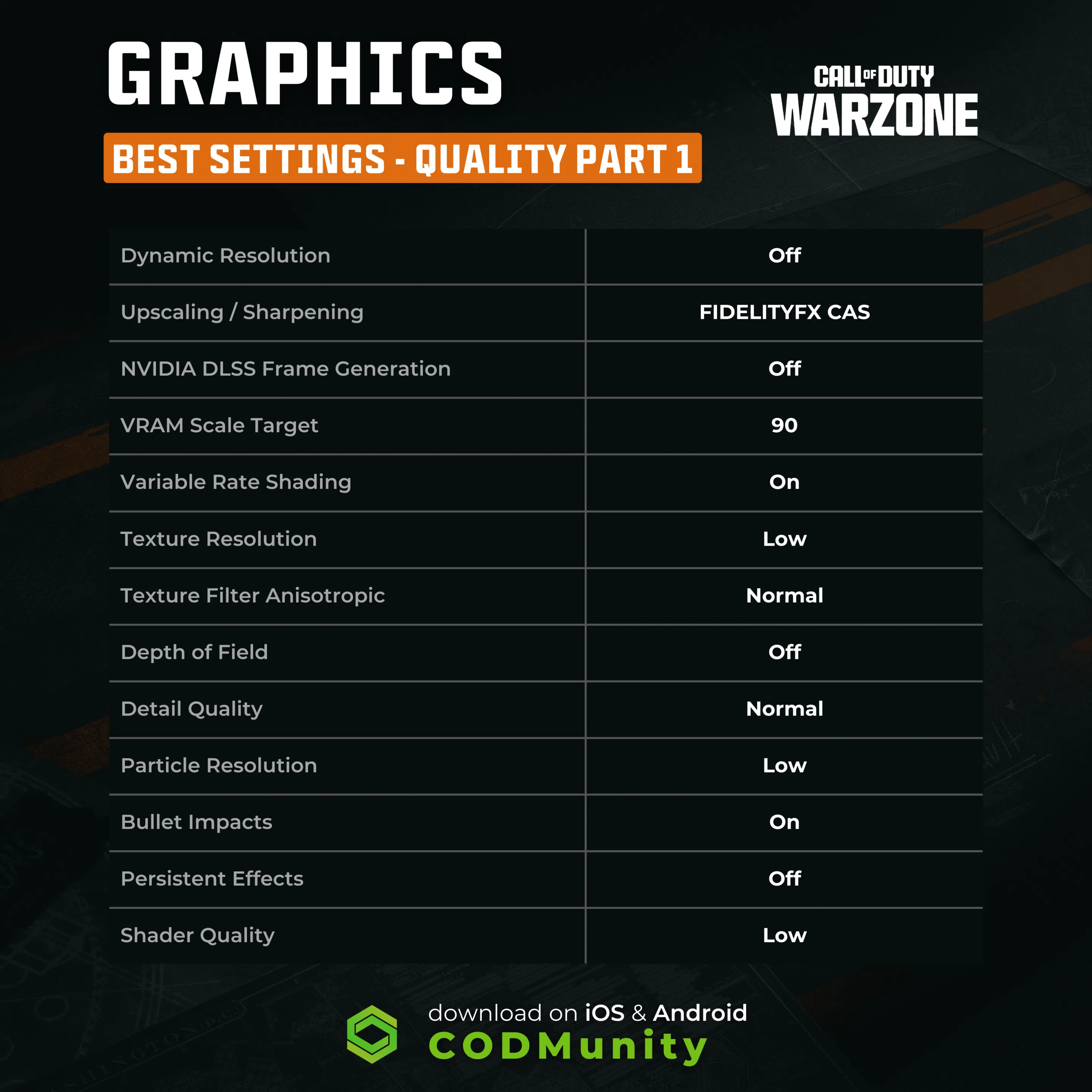
Ajustes de calidad
- Resolución dinámica: Desactivada
- Aumento de escala / Nitidez: FIDELITYFX CAS
- Generación de fotogramas NVIDIA DLSS: Apagado
- VRAM Scale Target: 90
- Sombreado de tasa variable: En
- Texture Resolution: Low
- Filtro de textura anisotrópico: Normal
- Profundidad de campo: Off
- Detail Quality: Normal
- Particle Resolution: Low
- Bullet Impacts: On
- Efectos persistentes: Off
- Calidad de sombreado: Baja
- Transmisión de texturas a la carta: Mínimo
- Calidad de transmisión de texturas locales: Normal
- Calidad de la sombra: Muy baja
- Sombras de espacio en pantalla: Off
- Oclusión e iluminación del espacio en pantalla: Off
- Reflejos del espacio en pantalla: Off
- Calidad de reflexión estática: Baja
- Teselación: Off
- Volumetric Quality: Low
- Calidad Física Diferida: Off
- Weather Grid Volumes Quality: Off
- Calidad del agua: Fuera de

Ver configuración
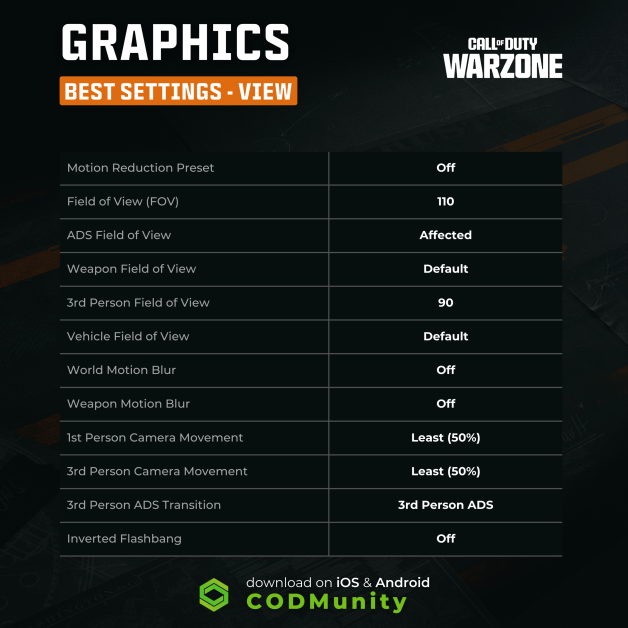
- Motion Reduction Preset: Off
- Field of View (FOV): 110
- Campo de visión ADS: Afectado
- Campo de visión del arma: Por defecto
- Campo de visión en 3ª persona: 90
- Campo de visión del vehículo: Por defecto
- Desenfoque de movimiento mundial: Desactivado
- Desenfoque de movimiento del arma: Desactivado
- Movimiento de cámara en 1ª persona: Menos (50%)
- Movimiento de cámara en 3ª persona: Menos (50%)
- 3rd Person ADS Transition: 3rd Person ADS
- Inverted Flashbang: Off
Audio Settings
Proper audio settings help pinpoint enemy movements and enhance immersion.
Audio Configuration
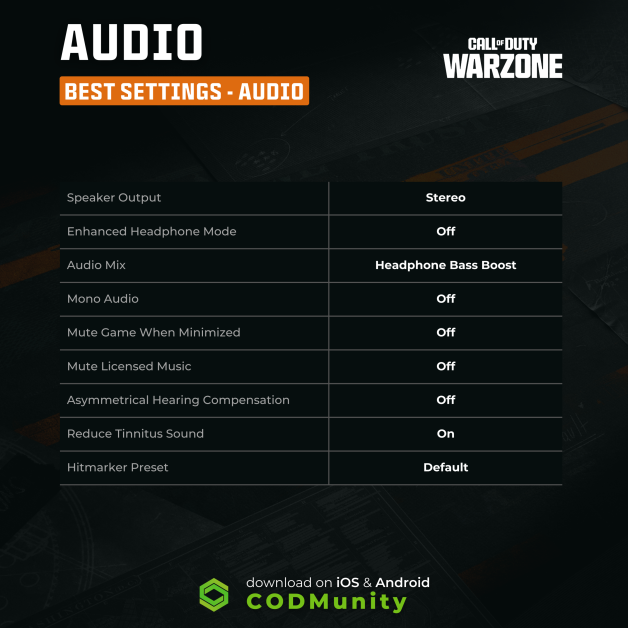
- Speaker Output: Stereo
- Enhanced Headphone Mode: Off
- Audio Mix: Headphone Bass Boost
- Mono Audio: Off
- Mute Game When Minimized: Off
- Mute Licensed Music: Off
- Asymmetrical Hearing Compensation: Off
- Reduce Tinnitus Sound: On
- Hitmarker Preset: Default
Controller Settings
Controller configurations determine how smoothly you interact with the game. Fine-tuning these settings ensures precision and responsiveness.
General Controller Settings
- Horizontal Stick Sensitivity: 6
- Vertical Stick Sensitivity: 6
- Controller Vibration: Off
- Trigger Effect: Off
Deadzone Inputs
- Left Stick Min: 5
- Left Stick Max: 80
- Right Stick Min: 3
- Right Stick Max: 80
- Left Trigger: 13
- Right Trigger: 13

Aiming Settings
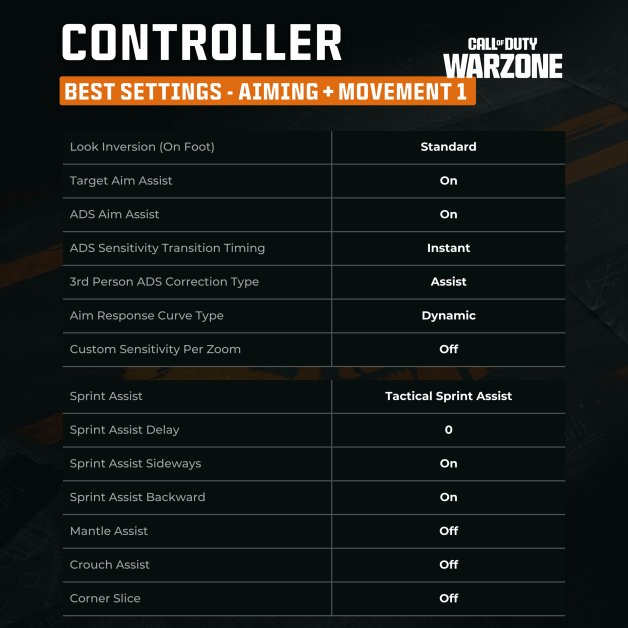
- Look Inversion (On Foot): Standard
- Target Aim Assist: On
- ADS Aim Assist: On
- ADS Sensitivity Transition Timing: Instant
- 3rd Person ADS Correction Type: Assist
- Aim Response Curve Type: Dynamic
- Custom Sensitivity Per Zoom: Off
Movement Settings
- Sprint Assist: Tactical Sprint Assist
- Sprint Assist Delay: 0
- Sprint Assist Sideways: On
- Sprint Assist Backward: On
- Mantle Assist: Off
- Crouch Assist: Off
- Corner Slice: Off
- Slide/Dive Behavior: Hybrid
- Automatic Airborne Mantle: Partial
- Sprint Restore: On
- Slide Maintains Sprint: On
- Parachute Automatic Behavior: Free Fall
- Mantle Cancels Reload: On
- Sprint/Tactical Sprint Behavior: Toggle
- Auto Move Forward: Off
- Auto Door Peek: Off
- Grounded Mantle: On
- Tactical Sprint Activation: Double Tap
- Plunging Underwater: Trigger
- Sprinting Door Bash: On

Combat Settings
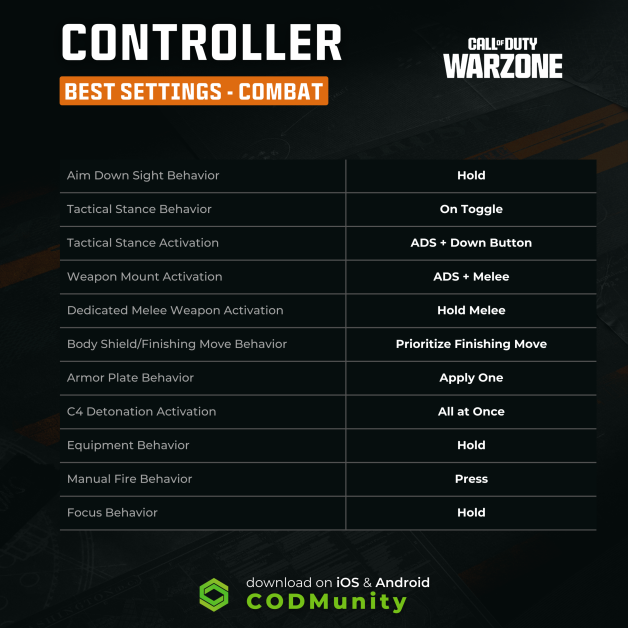
- Aim Down Sight Behavior: Hold
- Tactical Stance Behavior: On Toggle
- Tactical Stance Activation: ADS + Down Button
- Weapon Mount Activation: ADS + Melee
- Dedicated Melee Weapon Activation: Hold Melee
- Body Shield/Finishing Move Behavior: Prioritize Finishing Move
- Armor Plate Behavior: Apply One
- C4 Detonation Activation: All at Once
- Equipment Behavior: Hold
- Manual Fire Behavior: Press
- Focus Behavior: Hold
- Change Zoom Activation: Sprint/Tactical Sprint/Focus
- Weapon Mount Exit: Instant
- Interact/Reload Behavior: Prioritize Interact
- Sprint Cancels Reload: Off
- Akimbo Behavior: Independent
- ADS Stick Swap: Off
- Depleted Ammo Weapon Switch: Off
Final Thoughts
Optimizing your settings in Warzone Black Ops 6 is crucial for success. Whether it’s graphics, audio, or controller settings, each adjustment impacts how well you can compete in this high-octane environment. Implement these settings to maximize performance and stay ahead of the competition.
For more tips and in-depth loadout guides, download the CODMunity App today! Stay updated with the latest meta strategies and dominate the battlefield.
 Resurgimiento Meta